The process of joining a Patreon creator as a free member can be confusing. While there’s a giant “Become a member” button right there on most creators’ pages, clicking that button won’t give you the option of joining for free.
That’s how you subscribe as a paid member. Which, in fairness, will make most Patreon creators really happy. But if you’re trying to join for free, it’s frustratingly difficult to find the option.
That’s why I’ve created this guide.
why would you want to join a Patreon creator for free?
This is an excellent question. After all, most of the good stuff on Patreon is behind a paywall, right? What’s the point of joining for free?
show initial support and signal interest
Joining a Patreon creator as a free member is a good way to let the creator know you’re interested in what they’re doing. It signals interest, which can be encouraging to the creator.
Plus, it allows you to stay connected to the creator’s journey, getting insight into their creative process in ways they may not share on social media.
direct access to exclusive content
When you join for free, you get notifications and even Patreon-exclusive content directly from the creator. You’ll know about new releases, public projects, and upcoming events as soon as they’re announced.
It’s a more intimate, curated experience than what you’re likely to see on Instagram and other social media.
test the waters
Free membership is a great way to test the waters.
You can explore the creator’s community, get a sense of their posting frequency, and get an idea of what they share with paid subscribers before deciding to upgrade to a paid tier.
Plus, a lot of creators offer occasional public previews or “free-to-all” posts.
how to join for free
If you’re new to Patreon, you may not know how to follow a creator for free. No worries! I’ll walk you through it.
1. follow the link
First, go to the creator’s Patreon page.
If you’re looking for mine, click the button below.
2. confirm that you’re over 18 (if needed)
If the creator has their work labeled as adult-only, you’ll need to confirm that you’re over 18.
Because I write dark fantasy, horror, and (as of late) smut, I have my profile set to accept adults only. As a result, you’ll need to confirm that you’re over 18 if you want to join for free or subscribe to my Patreon content.
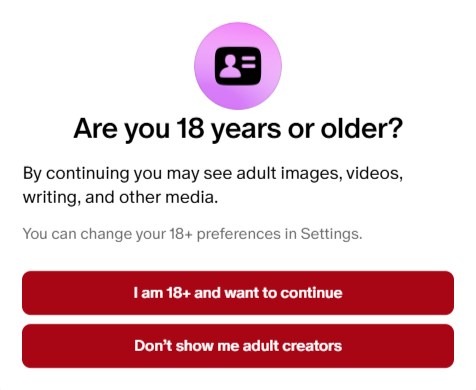
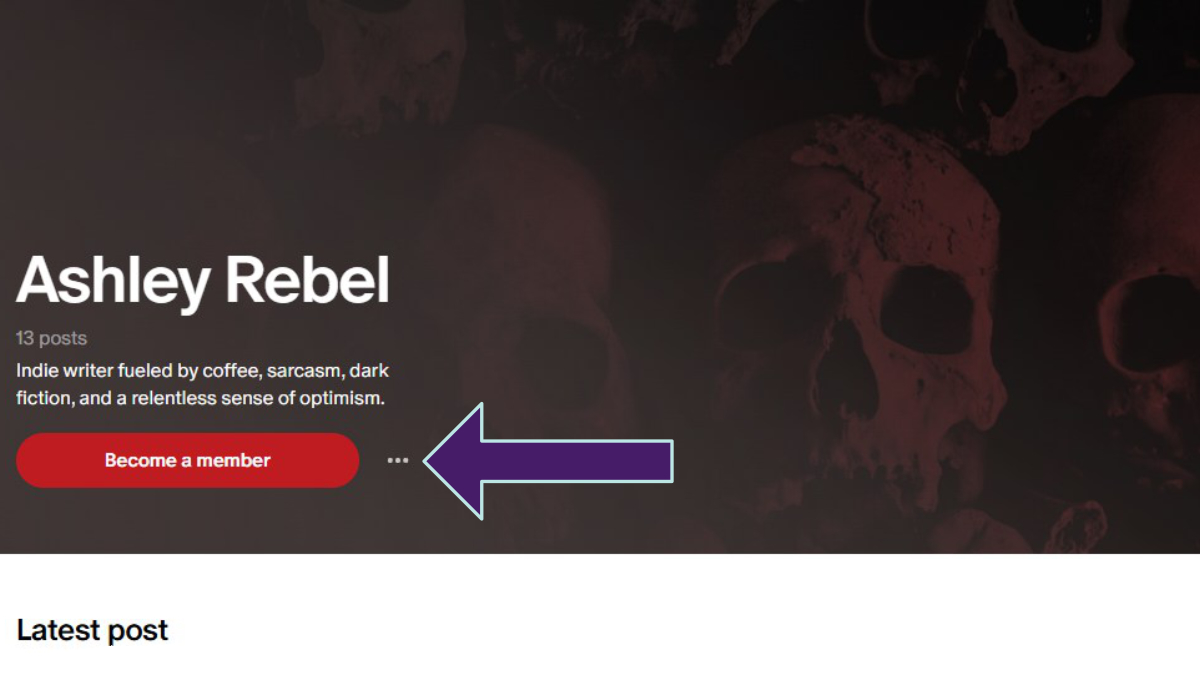
3. click on the three dots
You’ll see a “Become a member” button. That’s what you’d press to support the creator as a paid subscriber. While every single Patreon creator would love for you to pick that option, that’s not the route to becoming a free member.
Instead, you want to press the three dots to the right of that button.
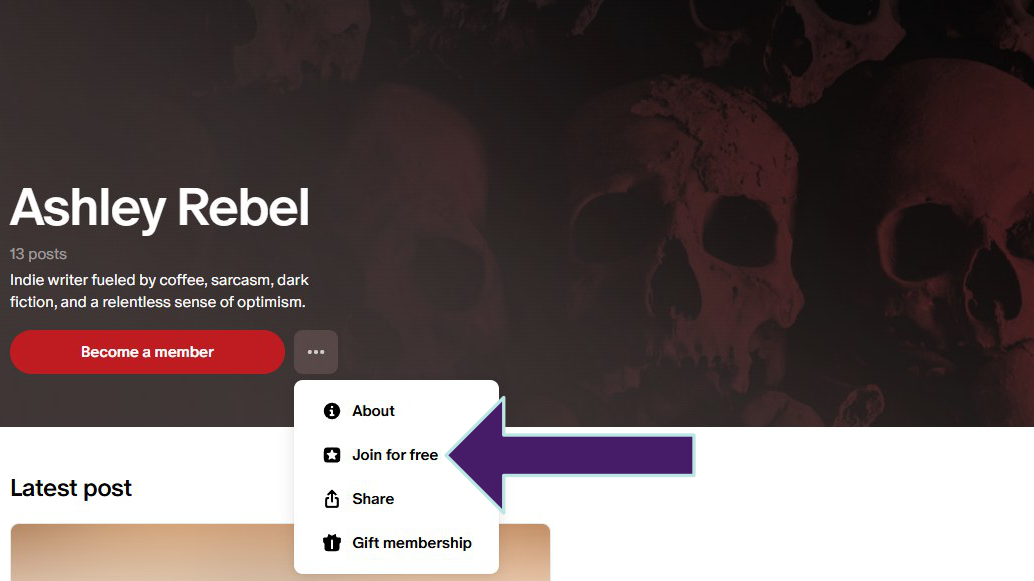
4. click on “Join for free”
When you click on those three dots, you’ll get another set of options. The second one down is “Join for free.” Click that one.
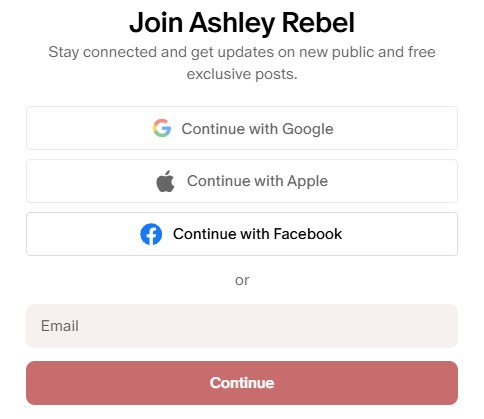
5. set up your Patreon account
If you’re not a Patreon member, you’ll be asked to set up an account. The first step is just providing your email address. From there, the prompts will guide you through the rest of the process.
Easy peasy.
6. enjoy your new free access
That’s it! Now you’re a free member. Enjoy.